↳
Services
Working
9 to 5...

The same thinking that solves a checkout flow applies to a public health platform, once you understand the people using it. I specialise in UI/UX and design systems across health services, e-commerce and marketing sites.

4 years working at Dept® Agency, and counting. Here are some of the skills, areas and disciplines I apply:
UI Design

My technical role at Dept® Agency; visual skills are my primary expertise. I love the craft. Using typography, layout, colour, composition and spacing to create feeling or guide behaviour. Balancing form and function according to the problem at hand.

Tools

Figma has been my weapon of choice for almost 6 years. While tools are changing, Figma still does a lot of heavy lifting when it comes to quickly building designs and layouts and setting up Design systems. I turn to our friends at Adobe, Illustrator or Photoshop, for more intricate vector manipulation or image editing.

Skills

A big part of the job is being able to express a brand’s identity consistently across a UI. Studying the visual language and building systems around to help translating it into code efficiently. A sensitivity towards how visuals evoke emotion is important, but don’t get lost! You’ll blow the budget if you’re not careful. Understanding the technical systems which will ultimately build the experience is critical. Efficiency saves time and money.

AI

AI is kindly taking on a lot of the monotonous chores; creating and populating content and repetitive tasks or workflows. There are many valuable solutions we take for granted as an industry which AI can execute extremely well. Patterns like check-out forms, filtering systems, navigation controls. These things have to be done, and for many of them, I’m happy to let an agent kick things off.

However, it misses feeling. Who know’s where it’s headed, but for now brands still need the human touch to separate them from the slop. And the sloppier it gets, the more reason not to be associated with it.

Design Systems

It can be hard to explain the real value of a good design foundation when building software. After thousands of hours spent in the weeds (token architecture, Figma Variables, component library, Code Connect mappings, documentation), building, maintaining and scaling design systems, you develop an allergy to inconsistency and rework. The question “Can I buy time later by doing it the right way now?” becomes instinctive. You should see the storage systems in the utility room at home, built with Ikea boxes and shelving.

Tools

Figma, GitHub, ShadCN, Claude. Aligning tokens, variables and component libraries. Aiming for parity where the tools allow and allowing code to be the source. The challenge has always been bridging the gaps between the tools, but that problem has (and continues to) become increasingly manageable with agents.

Skills

Design system engineers and agents both value clear context and strong connections between the libraries and the repos. How we consume it is different though. While human documentation tolerates a bit of ambiguity; an agent reading a skill file or a component manifest doesn't get to guess the same way. I'm still working out what that actually means, both with Dept® and in my own time: setting up skills, poking at MCP servers, seeing what genuinely helps an agent maintain a system versus what's just more documentation nobody reads.

AI

One last point and then I’ll stop talking about AI (at least in this section). One benefit of all the hype around AI is people are interested in tighter design systems in order to leverage it. A system an LLM can actually use is forced to have the clarity a human system could always get away without.

UX Design

How well the line between UI and UX is defined depends on all sorts of things (the team, the project, etc.). I work on a blurry line, meaning I get to enjoy a healthy dose of UX on the job among my UI and visual design responsibilities.

Tools

Figma is (still) king for flows and wireframes. In-person workshops for truly valuable insights and good relations. Baymard Institute for research, because it's built on tested studies rather than opinion. Maze for testing. LLMs for basically everything from competitor analysis to organising interview notes.

Skills

Let’s get all the buzzwords out of the way first: BENCHMARKING, WIREFRAMING, PROTOTYPING and USER-PERSONA-ing. Ultimately we’re trying to find opportunities, and these are just methods that help. Identifying insights to leverage to elevate whatever experience you’re designing. It’s a skill. An experienced eye will catch more gold as it sifts through the dirt. The best material comes from talking to people in person, so I get into the room when a project allows it.

AI

I’ve mentioned the use of LLMs, so let’s move on; While Baymard’s value is in its depth and breadth of research, its best feature is how AI pulls from them and shapes the results around what you're working on. For me, the real benefit AI brings to UX is quick iteration, but we’ll look at that in prototyping.

Prototyping

Getting an idea in front of people as something they can use in order to meaningfully test it.

Tools

In this case, Figma is no longer Kind. Vibe coding has landed, heavily. Framer and Webflow are great no-code/low-code tools that connect to Claude and Figma through MCPs. It’s easy to put something together that’s live and published and easy to share for testing. We’re playing a lot with ShadCN studio. Its well documented library of blocks bridges plays nicely with Claude too.

Skills

A lot of the skill is knowing when to reach for code and when to reach for Figma. A broader knowledge base has become more valuable than ever. It helps to have a strong understanding of front end, UX, UI and the other disciplines, because you’re calling on all of them to pull an idea together quickly. Having a toe in across the whole production line helps a lot. My motion design skills help as well, for fine-tuning interactions so they feel the way the design intends.

AI

Going quickly from an idea to a working prototype is a very satisfying workflow. You can use it yourself or put it in front of users, learn, iterate, build, repeat.

Motion Design

Well-crafted motion has become a basic standard in digital design. It’s the layer of polish and delight that brings an experience to life.

Tools

Depending on the task, I’ll turn first to Cavalry or Jitter. Sometimes I write GSAP tweens directly in custom code, in Webflow projects or vibe coding projects.

Skills

Again, the tools can only get you so far, the underlying principles are where the magic happens. Easing, timing, duration and delay are a science in themselves. I love it. The more time I spend with motion, the more I look back on how insensitive I used to be to it, and the more I notice how much it changes the way people feel, and the more I want to improve. Playing with GSAP or Lottie files directly is the best way to get a sense of how motion brings an experience to life through interactivity.

AI

Of course, AI is finding its place in motion too. Jitter builds it into the workflow and gives you something fairly well structured to then refine and polish.

Accessibility

My time working with the HSE, our national healthcare provider, has taught me a lot about designing accessible interfaces.

(Certified in W3Cx: Introduction to Web Accessibility)

Tools

WCAG is the one we use all the time. Contrast checkers for colour, and the VoiceOver controls on my phone for testing.

Skills

WCAG AA fluency and a genuine understanding of what makes software interfaces good and how to build them. It can look like a hurdle at face value, but it’s very well considered. Explaining the criteria to clients is part of the skill, so every design decision can be backed up.

AI

Honestly, LLMs have been very useful here. A back and forth helps me build the case for a design and, with a final check against the criteria, I can be confident it meets the standard.

Development

I don’t write it, but I spend a lot of time in code. Being comfortable with it opens up communication with the front-end devs I work with. I dig into the code and point directly at what needs to change and how to change it; often in the inspector, testing designs in the CSS.

Tools

The inspector, CSS, HTML and JavaScript. GitHub and Storybook. GSAP for motion, and custom code in low-code tools like Webflow.

Skills

Foundations in CSS, HTML and knowing how functions work in JavaScript. Enough to work meaningfully with custom code in low-code and no-code tools, and to build experiences a bit more interesting than basic layouts.

AI

LLMs are fantastic here. They take the syntax out of it and point you to bugs and errors quickly. The code might not be the most efficient, but it’s functional.

Some Projects

Melissa O'Donnell Artist Portfolio
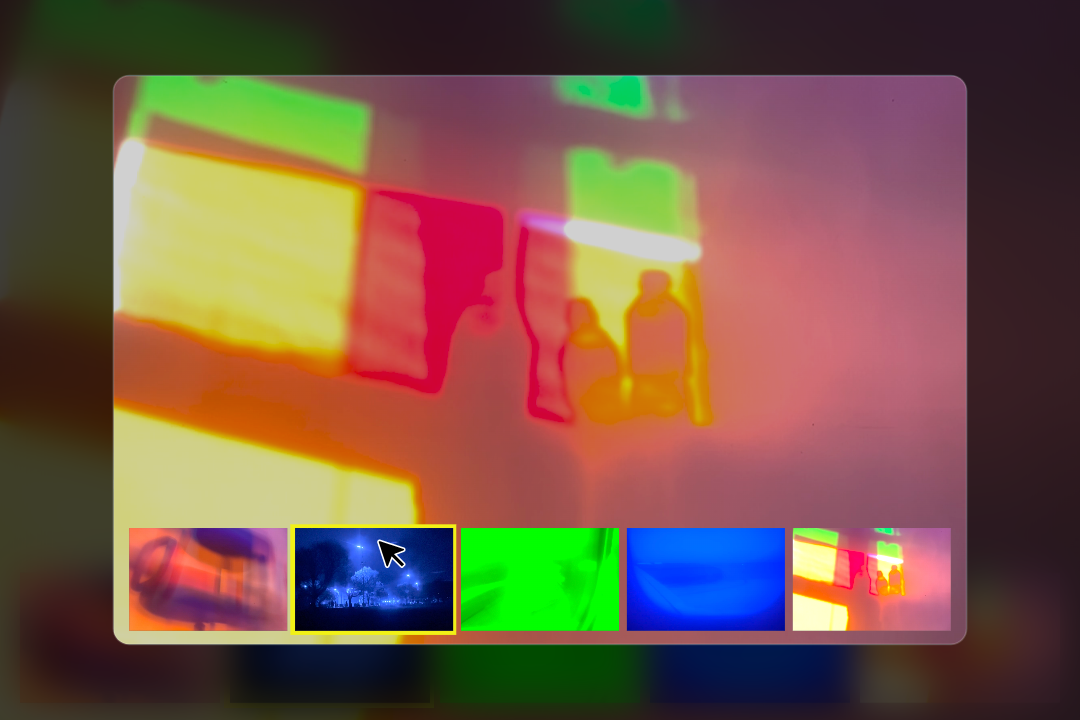
Screenshot of Orla Kelly's portfolio homepage
Orla Kelly Artist Portfolio
Large white letters spelling 'FAILURES' diagonally across a black background.
Collecting Failures in Motion
No items found.